TinCam 1.07
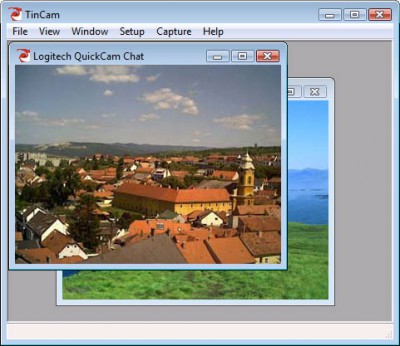
 TinCam is a powerful webcam application that updates your homepage with webcam pictures or a live video stream.
|

 19.00
19.00  Trial
Trial 0K
0K
 Windows Vista
TinCam is a powerful webcam application that updates your homepage with webcam pictures or a live video stream.
TinCam will also create a webcam homepage for you so you can get you live webcam running in no time.
It is easy to use and has many great features: Easily creates a webcam homepage, Interval updates, Scheduled updates, Motion detection updates, Live video streaming, Supports multiple cameras, Advanced captions, Overlay image, Webpage creator, FTP upload, HTTP image server, Security camera,
settings: Get en email on motion detection, Creates picture history on website, Creates thumbnails on website, Uploads online and offline files, Rotates, sharpens and softens pictures before upload, Records .avi videos with compression, Setup Wizard for easy and fast setup.
Starts with windows and runs unnoticed in system tray, Great help system.
TinCam features
TinCam will handle all the webcams and video devices you have installed.
If you don't want to build the webcam page yourself, TinCam can create and upload a webpage that displays your webcam pictures or video stream. You can write text on the page, change colors and add a background picture.
TinCam can insert a caption on the webcam pictures. Captions can contain time and date, and can be loaded from an external textfile.
Add a logo or a semi-transparent watermark to your webcam pictures.
Capture a webcam picture at a fixed interval, using motion detection or schedule.
Schedule a capture every hour, day or week.
TinCam can upload your webcam pictures with FTP, or it can open a HTTP server. It can also simply save the pictures to a specified folder.
TinCam can stream video and audio. TinCam uses the Windows Media Video format for streaming.
TinCam can keep a history of the latest pictures on your website.
TinCam can monitor your camera and capture a picture when motion is detected.
When a picture is captured TinCam can send an email with or without the picture.
TinCam can start with windows and run in the background.
Requirements
Limitations
tags tincam can webcam pictures motion detection your webcam with windows http server picture history windows and the webcam creates picture the background pictures with overlay image
Download TinCam 1.07

Purchase:  Buy TinCam 1.07
Similar software
TinCam 1.07
Simon Hiort-Lorenzen
TinCam is a powerful webcam application that updates your homepage with webcam pictures or a live video stream.
 SasCam Webcam Server 2.6.5
SaschArt
SasCAM is a Webcam Server application that allows you to capture live video streaming and broadcast it in the Internet from your homepage or from your PC.
 Webcam Tracker Live! 1.31
Sytexis Software
Webcam Tracker Live was created with the use of modern technologies.
 WebcamMax Standard 2.3.0.78
Yewsoft
Stream videos, movies, flash, desktop screen, pictures to virtual webcam; add transform, emotion effects, floating text, frame, over real webcam.
 WebCam Live 2.0.1
GetWare
WebCam Live is an application that helps you have your live images up on the web in a matter of minutes.
![WebcamMax Full [With All Effects] 3.0.5.2](https://goimg.gosoftware.org/screenshots/w/e/webcammax-full-[with-all-effects].jpg "WebcamMax Full [With All Effects] 3.0.5.2") WebcamMax Full [With All Effects] 3.0.5.2
WebcamMax Full [With All Effects] 3.0.5.2
Yewsoft
Stream videos, movies, flash, desktop screen, pictures to virtual webcam; add floating text, frame, transform, emotion effects over real webcam.
 Webcam Capturix 5.08.617
Capturix Software Technologies
Webcam Capturix is a simple application that allows you to broadcast live images throught the internet.
 1-More WebCam 1.2
1-More-Software
1-More WebCam - get the most from a Webcam with our software.
 WW.com Webcam 3
Camarades BV
WW.
 WebStreamer 1.0
Lionhardt Technologies
WebCam Streamer allows you to stream video from any Webcam, or other video capturing device.

 RSS
RSS