ManageEngine ADManager Plus 5.0
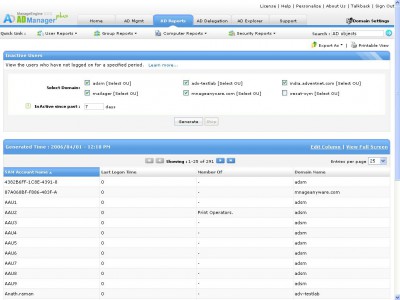
 ManageEngine ADManager Plus is a 100% web-based product that simplifies enterprise-wide Windows Active Directory management from a central point.
|

 300.00
  Trial
Trial 0K
0K
 Windows XP/Vista
ManageEngine ADManager Plus is a 100% web-based product that simplifies enterprise-wide Windows Active Directory management from a central point.
The ADManager Plus is ease to use, intuitive UI, eliminates the need of using scripts to manage the Active Directory and command line tools. It saves the administrator's time with its integrated management and reporting module.
Managing the Active Directory is an open challenge that every IT administrators face in day-to-day activities. Manually configuring the users and security permissions is extremely time consuming, tiresome, and error prone, particularly in a large, complex windows network. Moreover, it requires an in-depth knowledge about the Active Directory to accomplish these tasks.
ManageEngine ADManager Plus offers a 100% web-based solution to meet your Active Directory management requirement. It allows you to create or modify multiple users in the active directory by hiding the complexities of the native Active Directory tools. With its role-based security model, you can efficiently manage the security permissions with ease. The comprehensive reports provide you a quick insight in to the Active Directory objects.
The powerful search facility allows you to determine the permissions granted for a specific Active Directory object. The search can be made on a specific AD object, for a specific user and on the permission that the user has. This lets you to perform an audit for the defined security permissions for a specific AD object or for a specific user.
The Active Directory Explorer lets you browse through the Active directory for any of the domains. You can view the properties and security
tags active directory the active admanager plus security permissions allows you you can specific user lets you and security with its web based directory management manage the
Download ManageEngine ADManager Plus 5.0
 Download ManageEngine ADManager Plus 5.0
Purchase:  Buy ManageEngine ADManager Plus 5.0
Similar software
ManageEngine ADManager Plus 5.0
AdventNet Inc.
ManageEngine ADManager Plus is a 100% web-based product that simplifies enterprise-wide Windows Active Directory management from a central point.
 ManageEngine EventLog Analyzer 4.0
AdventNet, Inc.
ManageEngine EventLog Analyzer is a web-based event management tool that collects, analyzes, and reports on application, system, security, file server, and DNS server event logs from enterprise-wide Windows and UNIX systems.
.jpg "ManageEngine RoboIQ (IT Process Automation) 2") ManageEngine RoboIQ (IT Process Automation) 2
ManageEngine RoboIQ (IT Process Automation) 2
Adventnet Inc
ManageEngine RoboIQ is an enterprise-ready and affordable web-based IT Process Automation application that removes time-consuming, repetitive manual tasks and processes.
 ManageEngine NetFlow Analyzer 5.5.0
AdventNet, Inc.
ManageEngine NetFlow Analyzer is a web-based bandwidth monitoring tool that uses Cisco NetFlow to show you what software programs are using bandwidth, who is using them, and for how long.
 ManageEngine Firewall Analyzer 4.0
AdventNet, Inc.
Firewall Analyzer is a web-based firewall log analysis tool that collects, correlates, and reports on most enterprise firewalls, proxy servers, and VPNs.
 Active Directory Mate 0.1.2
Charles Profitt
Active Directory Mate is a useful product which imports users from an MS Access database (included) to an Active Directory domain.
 AdManager 1.1
JPElectron.com
AdManager will allow you to rotate banner advertisements or other graphics by replacing the image file on the web server periodically.
 Directory Mate 9
MADSolutions
Directory Mate is a wizard based import/export tool for your Windows 2000 or 2003 Active Directory.
 Akeni Enterprise Instant Messaging LDAP 2.2.118
Akeni
Akeni Enterprise Messenger is an enterprise messaging system that offers strong encryption, along with Active Directory / LDAP integration.
 No Alt-tab! 1.5
Coeus-Engineering
No Alt-tab! is an intuitive solution that simplifies access to active applications on your desktop.

 RSS
RSS