Bookmark Toolbar 1.3.5.5
 The panel is developed for the optimization of your work with documents over the Internet.
|

 0.00
0.00  Freeware
 0K
0K
 Windows Vista
The panel is developed for the optimization of your work with documents over the Internet.
The next advantage is that our product is user-friendly and reliable - it does not collect any information about the user, neither does it create any logs.
Text Search
Using our toolbar makes text search over the Internet much easier. The toolbar allows you to search for a necessary piece of information by using but not limited to any of the three search engines: Google, MSN, and AltaVista.
You can also perform a search on the current web page by using all the facilities of a good search system: history of searches, auto completion upon user input, drag-and-drop support, etc.
But only the Bookmark Toolbar from Iksanika lets users apply such search criteria as "search for a full word"/"search for its part", and "case-sensitive" search.
In addition to the above search characteristics of the Bookmark Toolbar, there is one more that is of not less importance. If you have a big document, you can search through the entire content, not only through the current fragment available.
What is more, you can easily mark necessary parts in the text and switch between them at your convenience. For this purpose, the Bookmark Toolbar provides you with the "bookmark" option.
Bookmark Management
This is the main and most attractive function of the Bookmark Toolbar for Internet Explorer.
Try to remember when was the last time when you were reading a large text in a document or were surfing a large page over the Internet. Did it happen that you had difficulties to return to the extract of interest? Was that caused by time pressure or by a huge amount of information you needed to process?
If you still experience such a difficulty, Iksanika offers you the Bookmark Toolbar with the bookmark management. It gives you the ability to reference necessary text parts so that you easily orient in the information you need.
You easily switch between the next and previous bookmarks, jump to any of them, highlight a required bookmark or all of them with permanent accentuation, and delete unnecessary bookmarks(s).
This useful and sometimes irreplaceable function is for people, who read articles and surf Internet sites using Internet Explorer.
Bookmark Toolbar features
Requirements
tags the bookmark bookmark toolbar the current search for over the through the with the internet explorer the internet search through you can that you text search
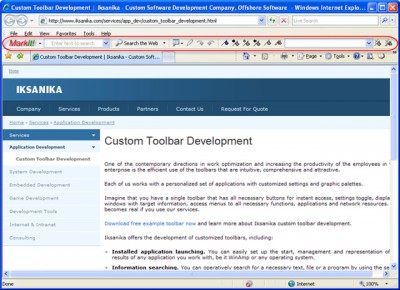
Download Bookmark Toolbar 1.3.5.5
 Download Bookmark Toolbar 1.3.5.5
Similar software
Bookmark Toolbar 1.3.5.5
Iksanika Ltd.
The panel is developed for the optimization of your work with documents over the Internet.
 SmartCUT Pro 2.1
Rasterweq Software
SmartCut is a professional software package developed for panel optimization.
 HTML Code Cleaner 4.21.0
HTML Code Cleaner Team
HTML Code Cleaner is a software designed to optimize HTML documents, resulting in shorter downloading / uploading time.
 FireTune 1.2.0
TotalIdea Software
FireTune for Mozilla Firefox was developed for an easy and fast optimization of your browsing experience with Firefox.
 1-Hour Search Engine Optimization 1.3
1-Hour Search Engine Optimizat
Free 1-hour search engine optimization crash course on the basics of search engine optimization and how to submit to search engines.
 1-Hour Search Engine Optimization Crash Course 1.5
1-Hour Search Engine Optimization
Free 1-hour search engine optimization crash course on the basics of search engine optimization and how to submit to search engines.
 SC-QuickStart 1.0
Soft-Central
SC-QuickStart enables you to easily execute applications and tasks using keyboard shortkeys and SC-QuickStart's Control Panel.
 Gradient Panel .NET 1.0
Abhisoft Technologies
Gradient Panel .
 Scientific Advantage 2.0 build 18
Formative Software, Inc.
Scientific Advantage is a program built to be a unique and powerful scientific calculator.
 NLauncher 1.7
NSoftware
NLauncher belongs to the family of the new generation desktop optimization programs for the Windows platforms.

 RSS
RSS