Screenshot Utility 1.0
 Screenshot Utility is a screen capture program.
|

 19.00
19.00  Shareware
 0K
0K
 Windows Vista
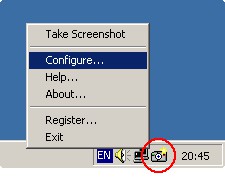
Screenshot Utility is a screen capture program. It resides in the system tray, and when you press a hotkey combination, it captures and saves a snapshot of your screen as a JPEG, GIF, or BMP file.
You can define your own hotkeys, choose default path for saving files, and select area to capture (entire screen or active window). After the screenshot was captured, Screenshot Utility alerts you with a message or a sound. You can choose an option for automatic saving (the program will automatically increment file names of captured screenshots), or select the filename manually after each capture.
Screenshot Utility is a software that allows you take screenshots.
Screenshot Utility is small, simple and very easy to use. Just double-click the tray icon, set your preferences, and start capturing screenshots!
Limitations
tags screenshot utility can
Download Screenshot Utility 1.0
 Download Screenshot Utility 1.0
Purchase:  Buy Screenshot Utility 1.0
Similar software
Screenshot Utility 1.0
QSX Software Group
Screenshot Utility is a screen capture program.
 Capture-A-ScreenShot 1.08
PopDrops.com
Capture-A-ScreenShot is a simple to use free screen capture software utility that captures screenshots.
 HotKey Magic 1.3.1
DonovanDunning
HotKey Magic is a quick-launch utility that allows you to open your frequently used programs and folders.
 Okoker HotKey Launcher 4.6
Okoker
Okoker HotKey Launcher is very easy to create hotkeys for keyboard.
 GDS Screen Capture 1.0.0.6
GD Software Att. Brian Bergh
GDS Screen Capture is a simple to use Screen Capture tool.
 No Fuss Screenshot 1.6
Informatique sur Mesure Sarl
No Fuss Screenshot is a Windows utility that allows users to quickly make screenshots.
 GameScreen .1
TSH of The 4Life Network
GameScreen is a free and powerful screenshot application which allows you to take a screenshot using a customized hotkey (for example, Left CTRL and W, or X), saving the screenshots in a selected format (BMP, JPG, PNG, TIFF, or TGA) and putting them into a directory.
 EMCO Remote Screenshot 1.0
EMCO
EMCO Remote Screenshot is a handy, intuitive and simple utility which gives you the possibility to take screenshots of the remote machines on you network and save them to a file on your local computer.
 Screen Capture 1.0
Morrison Schwartz
Screen Capture is a useful tool which demonstrates how to use several of the methods in User32.
 Wsnap 1.3
wsnap.com
Wsnap is a screen capture tool that lets you take a screenshot of any portion of the screen.

 RSS
RSS