new-ext 0.9
 new-ext is a program that will extend Windows Explorer context menu with new commands to create folders.
|

 0.00
0.00  Freeware
 0K
0K
 Windows Vista
new-ext is a program that will extend Windows Explorer context menu with new commands to create folders.
Have you ever created a directory in a hurry to download photos from your suddenly full memory cards before a vacation? Have you found yourself wondering where did photos go months later? Was it "New Folder (3)" or "New Folder (48)"?
If so, here is a solution for you. New-ext extends Windows Explorer context menu with a number of commands that crete a directory based on a template you configure.
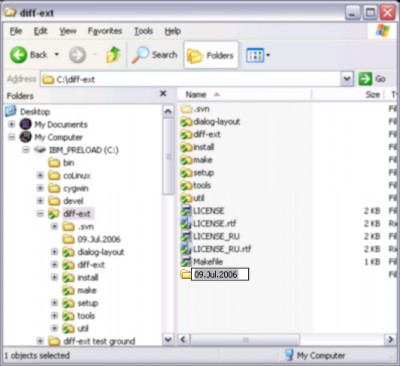
The new folder name is based on the template string and current date. For example, I find it useful to name my photo folders like "27.jun.2006", so my format string is "dd.MMM.yyyy". See format string for more detailed explanation of available options.
You may find new-ext useful even if you do not need to use current date as a part of the new folder name. Just put you favorite default new folder name in single qoutes as the format string.
You should enclose any text that should remain in its exact form in the folder name within single quotation marks in the format string. The single quotation mark can also be used as an escape character to allow the single quotation mark itself to be displayed in the folder name. However, the escape sequence must be enclosed within two single quotation marks.
For example, to display the date as "May '93", the format is: "MMMM ''yy". The first and last single quotation marks are the enclosing quotation marks. The second and third single quotation marks are the escape sequence to allow the single quotation mark to be displayed before the year.
tags single quotation folder name quotation marks new folder format string new ext the format quotation mark the single allow the the escape are the marks are
Download new-ext 0.9

Similar software
new-ext 0.9
Sergey Zorin
new-ext is a program that will extend Windows Explorer context menu with new commands to create folders.
 12Ghosts ShellX 9.70
12Ghosts Inc
12Ghosts ShellX can add new commands to the Explorer context menu.
 Windows Context Menu Manager 1.02
Private
Windows Context Menu Manager is a useful program that allows you to remove/restore file, folders, drives, Internet Explorer context menus.
 diff_ext 1.9.1
Sergey Zorin
Windows Explorer context menu extension to include commands for file comparison.
 Context Magic 1.1 Beta 5
ContextMagic.com
Context Magic is a Windows Explorer context menu extension that greatly extends functionality of the standard Send To menu and allows to manage files and folders with a few mouse clicks.
 ABF Favorite Folders 1.31
ABF software, Inc.
ABF Favorite Folders will allow you to easily store, manage and access a list of frequently used folders.
 Command Creator 3.0
jiiSoft
Command Creator will help you create run-commands for use in the Start Menu´s Run dialog.
 GetMeThere 1.2
Alfred, C. S. Li
GetMeThere is an Windows Explorer context menu extention.
 Fast Folder Access 2.0
Eusing Software
Fast Folder Access is a shell enhancement tool that gives you quick jump to your favorite folders in Windows Explorer, in Common Open/Save, dialogs,the desktop and the Start Button.
 Context Menu Editor 1.0
Brett Bartholomew
Context Menu Editor can view and delete links to programs on your context menus (the popup menus you see when you right-click).

 RSS
RSS