Microsoft Virtual PC 2007 1.0
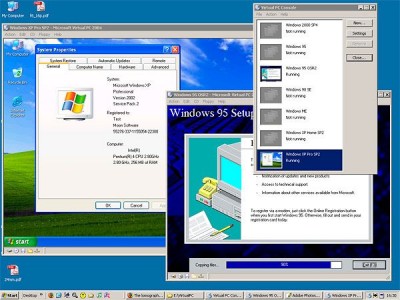
 Microsoft Virtual PC 2007 can be used to run multiple OSs simultaneously within the same personal computer.
|

 0.00
0.00  Freeware
 0K
0K
 Windows XP/Vista
Microsoft Virtual PC 2007 can be used to run multiple OSs simultaneously within the same personal computer. Switch between virtual machines with the click of a button. Use virtual machines to run legacy applications, provide support, train users, and enhance quality assurance.
Virtual PC lets you create separate virtual machines on your Windows desktop, each of which virtualizes the hardware of a complete physical computer. Use virtual machines to run operating systems such as MS-DOS, Windows, and OS/2.
You can run multiple operating systems at once on a single physical computer and switch between them as easily as switching applications—instantly, with a mouse click. Virtual PC is perfect for any scenario in which you need to support multiple operating systems, whether you use it for tech support, legacy application support, training, or just for consolidating physical computers.
Here are some key features of "Microsoft Virtual PC":
Configurability
Easy installation
Standardization
Convenience
Host integration
Requirements
tags virtual machines switch between operating systems physical computer you can virtual machine the first they can guest operating operating system the virtual the physical run multiple
Download Microsoft Virtual PC 2007 1.0
 Download Microsoft Virtual PC 2007 1.0
Similar software
Microsoft Virtual PC 2007 1.0
Microsoft Corp.
Microsoft Virtual PC 2007 can be used to run multiple OSs simultaneously within the same personal computer.
 Microsoft Save as PDF or XPS 1.0
Microsoft Corp.
Microsoft Save as PDF or XPS will allow you to export and save to the PDF and XPS formats in eight 2007 Microsoft Office programs.
 VirtualWiFi 1.0
Microsoft
Virtual WiFi application helps a user connect to multiple IEEE 802.
 Super X Desktop virtual Manager 3.4.60927
AjivaSoft Computing, Inc.
Super X Desktop - Get 100 reliable virtual desktop,custom caption and wallpaper, switch them with wallpaper by hot keys.
 Active Virtual Desktop 2.01
Fly3 Software, Inc.
Ever wished you had several screens on your computer? Active Virtual Desktop is a virtual desktop manager which will create up to 9 virtual desktops allowing you to have different programs running on each of them.
 Goal Aware 2007 1.0
SC SOFTAGE SRL
Goal Aware 2007 it is a goals management software that helps you: to achieve your personal and professional goals, to get organized and make better use of your time.
 QT Virtual Desktop 1.0
QatarIT
Virtual Desktop Toolbox enlarges your monitor by dynamically creating multiple virtual or non-virtual desktops.
 Microsoft Virtual PC 2004 Key Fix 1.00
Thehotfix.net
Microsoft Virtual PC 2004 Key Fix helps you solve problems after you have installed Microsoft Virtual PC 2004.
 VMware Converter 3.0.0 Build 36853
VMware Inc
VMware Converter is the too you need to Convert Physical Machines to Virtual Machines - you can now use the intuitive wizard-driven interface of VMware Converter to convert your physical machines to virtual machines.
 Virtual Desk 1.2
Easyfp.com
Virtual Desk is an award-winning virtual desktop manager that gives you the possibility to have multiple virtual desktops (just like many screens) and you can have different windows and applications running in each desktop.

 RSS
RSS