Software Time Lock 6.8.0
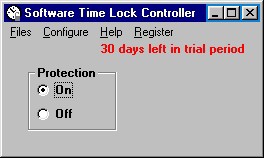
 Control at what times the Web, specific programs, and even Windows itself can be used on a particular computer.
|

 30.00
30.00  Trial
Trial 0K
0K
 Windows Vista
Control at what times the Web, specific programs, and even Windows itself can be used on a particular computer. Also, control how long these functions can be used in the course of a day.
Set blocks of time for each day of the week during which you cannot access the Web on a computer. For example, you can set that you cannot access the Web Monday through Friday from midnight to 6 PM and from 10 PM to midnight. You can set several blocks for each day, such as midnight to 8 AM and 6 PM to midnight, thus creating a limited time period during which the Web can be accessed (in this case, 8 AM to 6 PM).
Select specific programs and set blocks of time for each day of the week during which you cannot use these programs. For example, you can set that you cannot use certain games from noon to 8:00 PM Monday through Friday. You can set several blocks for each day, such as midnight to 8 AM and 6 PM to midnight, thus creating a limited time period during which the programs can be used (in this case, 8 AM to 6 PM).
Set blocks of time for each day of the week during which you cannot use the computer at all. For example, you can set that you cannot have the computer on from 9 PM to midnight and from midnight to 8 AM on Saturday and Sunday. You can set several blocks for each day of the week, such as midnight to 8 AM and 6 PM to midnight, thus creating a limited time period during which the computer can be used (in this case, 8 AM to 6 PM).
Set that a user can only access the Web for a specific length of time on each day of the week. For example, you could set that you can only surf the Web for one hour per day on Monday through Friday, and for three hours per day on Saturday and Sunday.
Select specific programs and set limits of how many hours and minutes you can access them each day of the week.
Set for each day of the week how many hours you can use the computer.
Limitations
tags each day you can the week for each during which you cannot can set the web set that for example example you the computer that you
Download Software Time Lock 6.8.0
 Download Software Time Lock 6.8.0
Purchase:  Buy Software Time Lock 6.8.0
Similar software
Software Time Lock 6.8.0
Leithauser Research
Control at what times the Web, specific programs, and even Windows itself can be used on a particular computer.
 Chronager 3.1
SoftForYou
Chronager is a parental control application which gives you complete control over your child’s use of the computer.
 ApPatrol 2.2
Tom Inabnet
ApPatrol is a safe and secure solution to monitor and control access to your computer.
 SentryPC 2.30
Spytech Software
With SentryPC you can restrict and monitor your computer allowing access to what you want when you want for all users!
Specify the hours, the days, and total usage time for virtually every aspect of your computer including specific programs, websites, and basic computer and Internet usage! SentryPC can also monitor and record all keystrokes, website visits, windows interacted with, chat conversations, and even applications used.
 X-ECUTOR 1.42.39.056
Andreas Spang
X-ECUTOR - runs programs at system startup or shutdown
You can specify different conditions under which your programs should be started
You can activate programs at specific times or on specific days of the week.
 Chronoger 2.1
SoftForYou
Chronoger is a useful parental control program that gives you complete control over your child’s use of the computer: when he or she can use it for entertainment, and when for doing homework.
 Task Manager 2007
CONVAR Deutschland
With task manager, programs can be quickly and easily started at specific times or intervals.
 PC Lighthouse 2.0.0
Typhoon Software
Do you know what programs are running on your computer right now? Do you know what they are doing? PC Lighthouse takes the mystery out of Windows and lets you know what's going on, with the industries easiest to use and understand interface.
 Startup Control Panel 2.8
Mike Lin
Startup Control Panel is a nifty control panel applet that allows you to easily configure which programs run when your computer starts.
 Clock Guard 10.0.0
Leithauser Research
Clock Guard is a Windows software program that prevents tampering with the computer clock.

 RSS
RSS