LogonWatcher 2.3.1
 LogonWatcher is an useful application for NT network administrators.
|

 49.00
49.00  Shareware
 0K
0K
 Windows XP/Vista
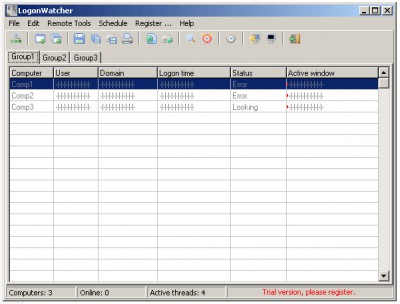
LogonWatcher is an useful application for NT network administrators.
It shows who are logged in on up to 1 computers from your network.
Visually all your net can be splitted to 20 regions as you wish.
You can see at one time who is logged on workstation and what he is doing right now.
LogonWatcher features
Limitations
tags you can you have the list one group remote active right now your network doing right computers from
Download LogonWatcher 2.3.1

Purchase:  Buy LogonWatcher 2.3.1
Similar software
LogonWatcher 2.3.1
ALXsoftware
LogonWatcher is an useful application for NT network administrators.
 PsLoggedOn 1.21
Mark Russinovich
You can determine who is using resources on your local computer with the "net" command ("net session"), however, there is no built-in way to determine who is using the resources of a remote computer.
 Alchemy Network Inventory 9.4.6
MIS Helpers
Network Administrators use this tool to inventory computers in the corporate networks for the software and hardware configuration, generate software licenses reports, etc.
 MakePwl 1.2
LastBit Software
MakePWL is an extremely useful tool for administrators who need to pre-configure multiple computers.
 UserMonitor 1.7
A. u. M. Neuber GbR
Ideal for teachers, instructors or administrators.
 User Finder 2.2.44
Compulsion Software
User Finder scans your network computers to provide details of which user is logged onto which computer throughout your network.
 Network Password Changer 1.0
Twaddle Software
Changes password on multiple computers centrally.
 Chase IP 1.0
Tamar Solutions
Chase IP is a free program which monitors your network and shows country location of remote computers.
 10-Strike Network Inventory Explorer 7.5
10-Strike Software
10-Strike Network Inventory Explorer is a software that will display hardware and software configuration.
 AssetWorX 3.00.0015
AssetWorX
AssetWorX application is a Windows platform based, network tool, to help network administrators with the day-to-day management of their LAN/WAN environments.

 RSS
RSS