Icon Remover 1.4
 Some new USB devices such as ADSL cable modems, SATA HDD drives, ZIP Drives, External CDROMs are hotplug devices.
|

 10.00
10.00  Trial
Trial 0K
0K
 Windows Vista
Some new USB devices such as ADSL cable modems, SATA HDD drives, ZIP Drives, External CDROMs are hotplug devices.
A hotplug device means that you can remove this device any time without switching off the computer. If you want to remove this device, click the "Safely Remove Hardware" icon in the system tray (a small green arrow near the clock). It is possible that you never unplug this device. So how you'll get rid of the icon?
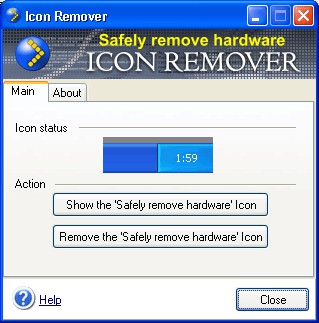
Try Icon Remover! Just click the "Remove the Safely remove hardware Icon" button. That’s all! Now you can restart or turn off your computer easily – the annoying icon will not emerge anymore. If you want to get the icon back, just click the "Show the Safely remove hardware Icon" button.
Unlike other programs of such kind, Icon Remover removes the icon automatically even after you restart or turn off the computer.
Icon Remover features
Limitations
tags remove hardware hardware icon the icon safely remove the safely click the this device icon remover just click turn off icon back icon button remove this
Download Icon Remover 1.4

Purchase:  Buy Icon Remover 1.4
Similar software
Icon Remover 1.4
SafelyRemove.com
Some new USB devices such as ADSL cable modems, SATA HDD drives, ZIP Drives, External CDROMs are hotplug devices.
 USB Safely Remove 5.4.6
SafelyRemove.com
USB Safely Remove represents a convenient and multifunctional replacement for the standard Safely Remove Hardware icon.
 Safely Remove 1.6
SafelyRemove.com
Safely Remove is a system tool developed to help you quick and safely stop the USB Flash Drives connected to your computer.
 DamageCopier 3.0
Evolution Labs
DamageCopier 3 is a useful program that can save data from damaged drives, CDs, DVDs, diskettes, Flash drives and other store devices in your PC.
 USB Info 1.2
Parallel Technologies, Inc.
USB Info - It's Finally Here!!! USB Info - The Ultimate USB Software Utility and Tool for USB Devices.
 Double Image 5.00.0033
Host Interface International
Double Image is a useful software that allows you to copy data files to and from local, external, LAN, WAN, NAS drives -- any drive that Windows recognizes, including mapped drives and other network locations.
 i8 Lock Drive 1.1
i8 technologies
i8 Lock Drive can make any selected folders or drives read only.
 Active SMART SCSI 2.41
Ariolic Software, Ltd.
If you want to monitor SCSI drives then you can try Active SMART SCSI version.
 AlmerBackup 4.8
AlmerSoft
AlmerBackup is a useful backup and restore utility which helps you to backup your files to hard drives, network drives, floppy disks , Zip drives, SyQuest and most other removable devices.
 Microsoft USB Flash Drive Manager (Standard)
Microsoft
Use this application to backup and restore presentation, pictures, songs and applications from and to USB Flash Drive devices and take them with you.

 RSS
RSS