Word Viewer OCX 3.2
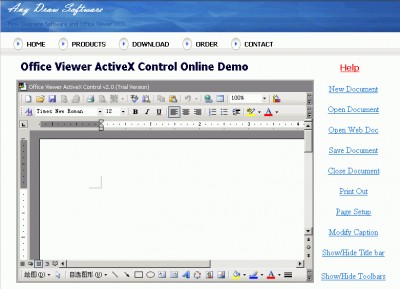
 Word Viewer OCX is an ActiveX component that enables your application to display and interact with Word document files.
|

 299.00
  Trial
Trial 0K
0K
 Windows Vista
Word Viewer OCX is an ActiveX component that enables your application to display and interact with Word document files.
Simply place the control on your form, set the Path property, and you are all set! Word Viewer OCX is identical to Word's interface.
Word Viewer OCX features
Limitations
tags word viewer viewer ocx you can
Download Word Viewer OCX 3.2

Purchase:  Buy Word Viewer OCX 3.2
Similar software
Word Viewer OCX 3.2
SkySof Software Inc
Word Viewer OCX is an ActiveX component that enables your application to display and interact with Word document files.
 Excel Viewer OCX 3.2
SkySof Software Inc
Excel Viewer OCX is an ActiveX component which enables your application to display and interact with Excel workbook files.
 ViewPDF OCX 2.0
SkySof Software Inc.
ViewPDF OCX is an ActiveX component which enables your application to display and interact with PDF files.
 Office Viewer ActiveX Control 3.2
EOfficeSoft
Office Viewer ActiveX Control allows your application to show and interact with Microsoft Office files such as PowerPoint, Excel , Project , Visio and Word.
 PowerPoint Viewer OCX 3.1
Office OCX
PowerPoint ActiveX Control will enable your application to display and interact with Microsoft PowerPoint document.
 PDFViewer OCX 2.0
SkySof Software Inc.
PDFViewer OCX is an ActiveX component which lets your application to display and interact with PDF files.
 Office Viewer OCX 3.0
Office OCX
Office Viewer OCX will enable your software to display and interact with Microsoft Office files such as Word, PowerPoint, Excel, Project and Visio.
 Word Viewer 2003 1.0
Microsoft
Word Viewer 2003 lets you open Word 2003 documents and documents created with all previous versions of Microsoft Word for Windows and Microsoft Word for Macintosh.
 TX Text Control ActiveX Server
The Imaging Source Network
TX Text Control ActiveX Server is a fully programmable word processing engine for deployment in an ASP server environment.
 AutoPlay me for Word 5.0.2
Framewood Technologies
Simply drag and drop your Word Document file and then press the Write CD Now button and you are done.

 RSS
RSS