TurboCAD Deluxe 12
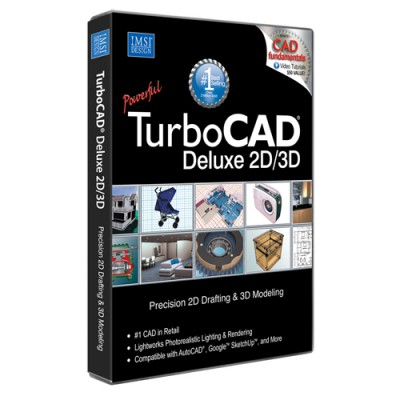
 TurboCAD Deluxe gives you unlimited design options.
| Developer: |
 IMSI IMSI
software by IMSI → |
| Price: |
 149.00 buy → 149.00 buy → |
| License: |
 Shareware Shareware |
| File size: |
 0K 0K |
| Language: |
 |
| OS: |
 Windows XP/Vista (?) Windows XP/Vista (?) |
| Rating: |
 0 /5 (0 votes) 0 /5 (0 votes)
|
|
|
TurboCAD Deluxe gives you unlimited design options. With over 250 professional level 2D/3D design and drafting tools, you can quickly create home plans, technical drawings, mechanical designs, artistic illustrations, crafts, and more.
TurboCAD Deluxe features
Getting Started
Breeze through a series of questions designed to create the most optimal drawing space for your needs using the Setup Wizard. Define your drawing size and orientation, units of measurements, printing scale, and view points.
Simplified User Interface
Display only the tools you want and need, and free up your screen space by 15%. Add, rearrange and move buttons you frequently use, and remove buttons you don't use. You can even display buttons with full explanations until you become familiar with the program.
New Context Sensitive Tools
TurboCAD’s one of a kind, context sensitive tools eliminate unnecessary prompts and steps by making intelligent assumptions about the users desired outcomes.
New Brush Style
TurboCAD offers you a brush style editor for Bitmap, Gradient Fills and now new Reflected Brush.
Improved Text Editing
Offering a newly simplified approach, TurboCAD’s text editing tools now mirror those found in other graphic applications. Simply select the text box you want to edit and the text editing palette is automatically called up.
New 2D & 3D Text Editing
Create and edit 2D & 3D textural information without leaving your drawing. Plus, choose from thousands of colors for text and background.
New Point Marker Tool
Automatically number objects such as rooms, doors or windows and is great for creating legends, call outs, or simply mapping points and adding notes to your drawings
New Fractional Dimensions
Three options for displaying fractional dimensions (stacked, diagonal, in-line)
Viewports
Rotate, zoom, and edit small specific areas of your drawing (2D or 3D) through standard or custom shaped viewports.
Snaps
Draw lines quickly and let snap tools automatically aligning them with the closest center point, end point or dozens of points you choose.
Advanced Lighting Effects
Choose from ambient, point, directional, spot, or sky light to create your specific effect! Plus, define the softness and fall-off settings of your shadows.
Advanced Rendering
Enjoy fast previews and rotating of your rendered object, plus choose a specific render mode depending on your need.
Wireframe (displays all lines including lines that would normall be obstructed)
Hidden Line (renders only lines that would normally be visible)
Draft Render (quick preview)
High Quality Mode (find quality mode for finished publishing)
Extrudes and Sweeps
Create complex 3D models by simply extruding (pulling) them from simple 2D shapes. Or use Sweeps to extrude complex shapes along a path that you define. Perect for drafting irregular objects such as pipes that must be routed around other objects.
Complete PDF Support
The redesigned PDF file export features now let you export paper spaces, customize PDF fonts, TrueType®, SHX, paper widths, and paper heights sections.
Import and Export Files
Sharing files with others and among other programs is easy. TurboCAD is fully compatible with all these programs and file formats:
3DS - 3D Studio
BMP - Windows Bitmap
DGN - Intergraph, Microsation
DWF - AutoDesk(r) Drawing Web Format
DWG - AutoCAD Native Format
DXF = Drawing Exchange
GIF - Graphics Interchange
JPG - JPEG
PLT - Hewlett Packard Graphics Language
PNG - Portable Network Graphics
TCW - TurboCAD Native Format
WMF - Windows Metalife
WRL - VRML Worlds
WRZ - VRML Worlds
New Images on Transparencies
Export your drawings into GIF or PNG file formats with transparent backgrounds. Easily place your finished object into another image or another background, without having to crop the object out of its original background.
Versatile enough for hobbies and crafts too!
Designed for precision but simple enough for anyone, TurboCAD can help you with your hobbies and crafts too. TurboCAD's tools are veratile enough to tackle even the most intriciate and detailed ideas. Use it for:
Woodworking
Jewelry
Quilting Patterns and Pattern Designs
Stained Glass
Deck Plans
Toy Models
Garden Planning
Doll Houses
Requirements
Pentium class PC
64 MB RAM (128 MB recommended)
55-212+ MB hard disk space
64 MB of swap space
Super VGA (
tags text editing your drawing quality mode that would lines that your drawings fractional dimensions file formats native format and crafts crafts too hobbies and enough for
Download TurboCAD Deluxe 12
 Download TurboCAD Deluxe 12
Purchase:  Buy TurboCAD Deluxe 12
Similar software
TurboCAD Deluxe 12
IMSI
TurboCAD Deluxe gives you unlimited design options.
 Total 3D Home Design Deluxe 9.0
Individual Software Inc.
Total 3D Home Design Deluxe software separates itself from other products in its class since it is designed for you, rather than an architect.
 Graphite 7.6.2
Ashlar Incorporated
No other drafting software is faster and easier to use than Graphite—period.
 Cutter 2.76
Dmitry Pavlov
"The Cutter" program does the calculation and patternmaking with the following printout of the drafts in scales 1:1, 1:2, 1:4 on paper of any format.
 Toonworks Deluxe 1.01
IKE Software
Toonworks Deluxe is a comprehensive children's drawing program that mixes learning with laughter.
 eMachineShop 1.0
eMachineShop
eMachineShop's totally free, professional Computer Aided Design (CAD) software allows to design in 2D and 3D.
 Deluxe Tabs 4.1
Deluxe-Menu.com
Improve your website navigation with the most powerful JavaScript Menu on the Web! Deluxe Tabs is a versatile, ready-made solution that will allow professional and amateur web developers to create superior dhtml navigation systems for their web sites and web applications.
 Cobalt 7.4 build 578
Ashlar-Vellum
Cobalt matches professional power with speed and ease of use for flexible 3D modeling.
 MITCalc - Pinned couplings 1.17
MITCalc
MITCalc - Pinned couplings will help you with the geometric design and strength check of couplings using pins and clevis pins.
 Altova MissionKit for Professional XML Developers 2007
Altova
The Altova MissionKit 2007 for XML Developers bundles the world’s leading XML tools at 50%* off their regular prices.

 RSS
RSS