Program starter 1
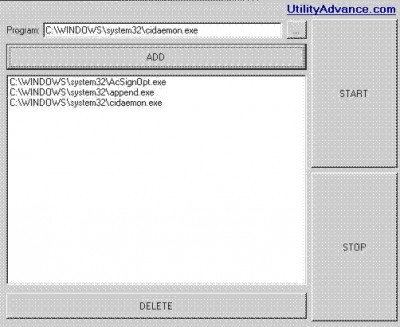
 Start programs is a free software that allows you to start several programs at one time.
|

 0.00
0.00  Freeware
 0K
0K
 Windows XP/Vista
Start programs is a free software that allows you to start several programs at one time. It will be useful if you want to start 10 program at one time. This software story tunings.
Description: Program starter combines, in a single executable, functions which as a rule you only get by installing several programs. It has many built in functions like immediate or scheduled shutdown/restart/logoff/standby/hibernate, launch default browser or email client, open explorer, display important info about your computer like IP address, memory usage and so on, defragmenter your computer and shutdown, open/close CD drive, empty the recycle bin or/and delete files or folders at startup, delete index.dat files, backup or synchronize directories, rename multiple files, fix window on top, enable or disable your screensaver etc.
One can choose which programs are allowed to run when Windows is starting up.
Requirements
tags your computer one time several programs
Download Program starter 1

Similar software
Program starter 1
Advance Utility
Start programs is a free software that allows you to start several programs at one time.
 StartMenu 1.5
Gasaw Software
StartMenu - the program for fast, convenient and visual start of programs.
 Program Launcher 1.0
Johannes Wallroth
If you need to start several programs simultanously, Program Launcher can be useful to you.
 Seek 2.0.2
Phi
Navigating the Start Menu can be a hassle, especially if you have installed many programs over time.
 MindSoft StartUp 1.0
MindSoft
Use this program to speed up your PC start up, by choosing what applications will start with Windows.
 1st Startup Manager 1.0
1stdesktop.com
1st Startup Manager helps manage your startup applications and provides information on programs that run when you start up Windows.
 Run It All 2.1
Vedran
Run It All is a free and useful application which can simultaneous start different processes.
 AutoStart 1.0
BlackBoard Software
Not all programs which start up are located in the startup folder.
 Startup Firewall 2.0
Innovative Solutions
Innovative Startup Firewall protects your computer from programs that insert themselves into the Windows startup in order to start automatically when you start your computer.
 EF StartUp Manager 22.03
EFSoftware
EF StartUp Manager - When starting Windows, a number of other programs are also started.

 RSS
RSS