Fontonizer 1.3
 Fontonizer is an easy to use Font Organizer that will help you keep track of all your fonts.
|

 29.00
29.00  Trial
Trial 0K
0K
 Windows Vista
Fontonizer is an easy to use Font Organizer that will help you keep track of all your fonts.
Fontonizer is an easy to use Font Organizer for Windows 95/98/ME/NT/2000/XP with an explorer-like interface which allows you to see the drives with font files: hard drives (including network drives), CD-ROMs, optical disks, ZIP disks, Jazz disks and drives other with font files.
Functions:
Installation /deletion / restoration of the deleted fonts
Viewing of the tracing of a text with both installed and uninstalled fonts.
Viewing of the information about a font
Viewing of the symbol table of any font
Viewing of the deleted fonts
A "Favorite fonts" set with subdivisions (for example "for cards", "hand-written", abstract")
Much more!
Fit a font for your project without installing it into a system!
Compare spelling of the key text written in all the fonts you have!
Installation a font in one click!
Fontonizer features
Viewing and comparison of all the fonts on all disks of your computer.
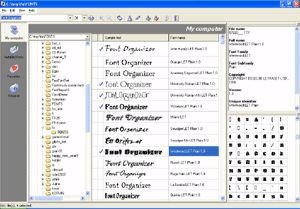
The "My computer" inlay enables you to select any folder on your computer (including network environment!) and to browse all the fonts in these folders. The text in tracings with these fonts will be displayed in a table. You can quickly estimate which fonts you like most of all, which ones you need, and install only the fonts you like! Retrench the capacity of your computer and your own time!
Viewing and comparison of any text with different fonts.
An advertising slogan, a declaration of love, a Christmas card, an invitation to wedding or anniversary, a business letter - you have created contents which should be given a corresponding form. (It is necessary to select the font corresponding to the character of your remarkable text well).
You have hundreds, thousands of fonts. And not all of them are installed into your system?
Enter your key text and enable Fontonizer to display your text with all the fonts you have!
Quickly and just exactly what you need! Never before it was so easy to select a font just to your text among thousands of other ones!
Limitations
tags the fonts all the fonts you you have your computer text with and comparison your text you need you like viewing and key text font files
Download Fontonizer 1.3

Purchase:  Buy Fontonizer 1.3
Similar software
Fontonizer 1.3
FontUtilities.com
Fontonizer is an easy to use Font Organizer that will help you keep track of all your fonts.
 Font Man 1.0.5
Peach City Software
Font Man is an application for font management.
 Raster Font Editor 0.09beta
CyLog Software
Raster Font Editor is am easy-to-use font editor for the creation of bitmap fonts.
 Free&Easy Font Viewer 1.2
Alexander G. Styopkin
Free&Easy Font Viewer gives you a program that will allow you to view the fonts installed on your system.
 CD Organizer 1.0
Beaver Valley Software Company
CD Organizer keep track of your CD collection.
 xp font viewer 2.2
xp font viewer co
xp Font viewer is a font utility.
 Fast Font Set 1.10
FontUtilities.com
FastFontSet - is a program that allows you selection of fonts for your needs.
 Word To Your Font 1.0
Owen Digital Corporation
Word To Your Font displays a clickable list of available fonts on your PC using the font typeface.
 AMP Font Viewer 3.70
Alberto Martinez Perez
AMP Font Viewer is an easy-to-use but powerful font manager, designed to obtain a quick view of all installed and not installed fonts in the system, and organize them easily in categories.
 Opcion Font Viewer 1.1.0
Paul Chiu
For viewing fonts, seeing how they would appear applied to your name/logo/tagline, and keeping track of which fonts best suit the job is the purpose of Opcion Font Viewer.

 RSS
RSS