DiagramStudio 6.00
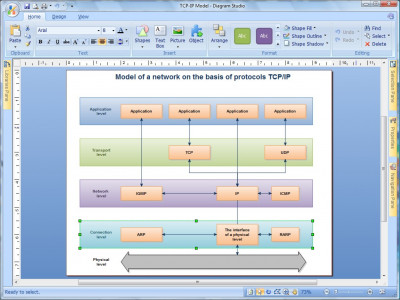
 Diagram Studio offers you a vast choice of different tools which will allow you to quickly and easily edit flowcharts, technical and business diagrams, plans, schemes and family trees.
|

 49.00
49.00  Shareware
 0K
0K
 Windows Vista
Diagram Studio offers you a vast choice of different tools which will allow you to quickly and easily edit flowcharts, technical and business diagrams, plans, schemes and family trees. The focus of these tools is on ease-of-use, speedy results, automation, and quality output.
Diagram Studio contains many features else found only in very expensive packages, like automatic formatting and routing, rotation, customizable toolbars, professional color styles, graphics import and export, curves, flexible text support, and a library of ready-made symbols and templates.
Diagram Studio supports Object Linking and Embedding in Windows as an OLE Server. This feature makes it very easy to use Diagram Studio drawings in other Windows programs. You can embed or link your diagram. In both cases, you can edit the diagram by double-clicking it in the destination application.
It's easy to draw and edit charts with Diagram Studio. You don't need to have any artistic talent or drawing skills to use this program. The simple objects can be easily created by using primitive graphic components, and for more complicated ones you can use our Libraries, supplied with the program, where most of the objects you might need are already gathered for you.
Simply drag them from there and drop into your diagram. Diagram Studio includes many ready-made symbols that are carefully organized into Libraries designed for specific tasks. For each symbol, you can assign different line colors, pattern, fill and shadow colors. You can enter explanatory text label at any location. Text is entered and formatted just like your word processor does it.
Diagram Studio's intelligent links automatically change their path when you reposition objects, avoiding crossing other objects. Powerful grid and alignment aids keep your diagram attractive. Diagram Studio handles the hard parts of drawing a diagram and leaves you time to focus on the layout and appearance.
Here are some key features of "Diagram Studio":
tags diagram studio you can your diagram ready made business diagrams made symbols
Download DiagramStudio 6.00

Purchase:  Buy DiagramStudio 6.00
Similar software
DiagramStudio 6.00
Gadwin Systems Inc
Diagram Studio offers you a vast choice of different tools which will allow you to quickly and easily edit flowcharts, technical and business diagrams, plans, schemes and family trees.
 Diagram Studio 6.0
Gadwin Systems, Inc.
Diagram Studio represents a powerful application designed to create professional-looking business, technical drawings and illustrations for your documents quickly and easily.
 EDraw Flowchart ActiveX Control 2.3
EDrawSoft
EDraw Flowchart ActiveX Control - Build flowchart applications with minimum time loss! Lets you quickly build basic flowcharts, organizational charts, business charts, hr diagram, work flowchart, programming flowchart and network design diagrams.
 Diagram Designer 1.18
Michael Vinther
Diagram Designer is a very simple vector graphics editor for creating diagrams, flowcharts and slide shows
Here are some key features of "Diagram Designer":
· Customizable template object palette.
 Simple RSS Studio 1.01
Lionhardt Technologies
Simple RSS Studio will allow you to create RSS (Really Simple Syndication) channels quickly and easily.
 AlgoDraw 2.20
XWare
AlgoDraw represents a simple tool for drawing flowcharts.
 InSight Diagrammer 2006.2
MindFusion Limited
Draw flowcharts, business and organizational charts, network diagrams and graphs.
-for-windows-1.2-community.jpg "SDE for Visual Studio .NET (CE) for Windows 1.2 Community Edition") SDE for Visual Studio .NET (CE) for Windows 1.2 Community Edition
SDE for Visual Studio .NET (CE) for Windows 1.2 Community Edition
Visual Paradigm
SDE for Visual Studio .
 Crystal REVS for C++ 2.06 Beta
SGV Sarc Inc
Crystal REVS is a useful program that allows you to create Flowchart from Source Code with one click.
-for-windows-3.3-professional.jpg "SDE for Visual Studio .NET (PE) for Windows 3.3 Professional Edition") SDE for Visual Studio .NET (PE) for Windows 3.3 Professional Edition
SDE for Visual Studio .NET (PE) for Windows 3.3 Professional Edition
Visual Paradigm
SDE for Visual Studio .

 RSS
RSS