Clean Registry 3.1.0.0
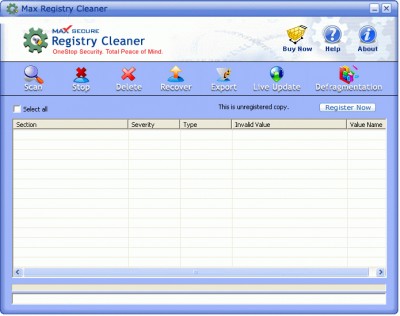
 Clean Registry is a software to backup, clean and compress registry.
|

 29.00
29.00  Trial
Trial 0K
0K
 Windows Vista
Clean Registry is a software to backup, clean and compress registry. Make your computer run faster and with less errors or system halts.
The registry is where your computer stores information about the configuration of your system and your programs so that the operating system (Windows) can use it.
The registry is structured as "keys" and each key relates to a program or setting on your system. Windows reads the keys and uses the information to launch and run programs.
The registry is vital to your computer's ability to run smoothly. Any faulty keys, registry viruses, or fragments can cause your computer to either slow down or not function properly. If your registry becomes infected with a virus or you have lost keys, it may require you to reinstall Windows.
In order to prevent the complete reinstallation of Windows (and consequent loss of all information on your system) it is very helpful to have a backup copy of your registry available. The backup copy of the registry can then be used to restore any missing or damaged keys.
Defragmenting a system or registry is when the system removes blank bytes of data and consolidates the remaining information so that there are no blank memory pieces within it.
Limitations
tags the registry your computer your system backup copy your registry system windows keys and
Download Clean Registry 3.1.0.0
 Download Clean Registry 3.1.0.0
Purchase:  Buy Clean Registry 3.1.0.0
Similar software
Clean Registry 3.1.0.0
WinEnhance
Clean Registry is a software to backup, clean and compress registry.
 Easy Registry Optimizer 1.1
Pixocom
Software utility to: Backup registry.
 Registry Clean Pro 1.0
QSX Software Group
Registry Clean Pro is a utility that safely removes invalid entries from the Windows registry, thus optimizing the performance of your computer.
 Registry Sweeper Pro 2006
Registry Sweeper Pro
Registry Sweeper Pro - Scan and Repair errors in your System Registry!
Here are some key features of "Registry Sweeper Pro":
· System Files Backup and Restore
In case of System Failure Registry Sweeper Pro can backup and Restore your system registry and restore it back
· Registry Cleaner and Fixer
Clean the registry and make then efficient again, and your computer will be faster and more stable.
 Abexo Free Registry Cleaner 1.1
Abexo
What is Complete Registry Cleaner? Complete Registry Cleaner is a utility software to make your computer run smoother and faster.
 Registry Fix 6.8.1.9
PIMASOFT
Registry Fix is an advanced registry cleaner for Windows that allows you to safely scan, clean, and repair registry problems with a few simple mouse clicks.
 Registry Speedup 1.00
Registry Speedup
Registry Speedup is an easy-to-use utility that enables you to safely clean, repair, backup and compact Windows registry with easy.
 WinASO Registry Optimizer 1.50
X.M.Y. International LLC
WinASO Registry Optimizer is an advanced registry optimizer and cleaner for Windows allowing you to safely clean and repair registry problems with just a few simple mouse clicks.
 Registry Clean Expert 4.90
iExpert Software
The Windows registry is a database repository for information about a computer's configuration.
 Registry Purifier 1.1
Jan Düttmann
Registry Purifier is a tool that keeps your Registry clean!
Remove unused entries fast and safely by a simple mouseclick, or let Registry Purifier do this automatically at every startup of your system.

 RSS
RSS