DEKSI Time Manager 2.52
 DEKSI Time Manager is an advanced, powerful, and feature rich time tracking software which enables you to easily record the time that you spend working for customers, projects and tasks.
DEKSI Time Manager is an advanced, powerful, and feature rich time tracking software which enables you to easily record the time that you spend working for customers, projects and tasks.
Easy and Automatic Recording
Accurate Time Tracking
Bill Customers With Confidence
Keep a Work History
Improve Project Management and Time Estimation Skills
Adaptable to Your Needs
DEKSI Time Manager features
Automatic and manual: Time can be tracked automatically using a "stop-watch" time recorder or manually by entering start and end times or start time and duration.
Instant access: The unique auto-hide tracking window docks and hides off the side of the screen for immediate access without even clicking the mouse . Simply drag the window to the edge of the screen and move the mouse away to hide the window. Move the mouse to the hidden area and the window automatically and appears.
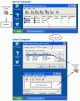
The time tracking window shows you at a glance the category that you are tracking time to, the current time, recorded start time, duration, income earned in real-time (if an hourly rate is set for the category), and the total time worked on the current day. You can also log work notes with the time and track category completion progress.
Set hourly rates per client, project or task . Apply custom rounding to time entries. View and modify previously recorded time, see and correct time gaps and overlaps.
Record work notes throughout the day such as details of work performed and track progress by setting % completion.
Many reports: Generate many reports including weekly timesheets, summary and detail reports by various groupings such as date or category, or by user (Professional edition).
Aggregate reports: Regular users can generate reports for their own recorded time. Managers and other authorized users can generate aggregate reports containing recorded time for all users (Professional edition).
Data view: The in-built data view provides a quick view of report data allowing all or part of the data to be copied to the clipboard for pasting into E-mail, spreadsheet or other applications .
Export data: Report data can be exported to file in many file formats including Microsoft Excel, XML, HTML, text and more.
User defined categories: Track time by flexible user-defined categories such as customers or clients, projects or jobs, tasks and sub-tasks. Unlike other time tracking programs you are free to create whatever hierarchy of categories that you need. For example, if you need to track time only to customers, or do not have external customers and only need to track time to projects then DEKSI Time Manager can support your needs.
Billing: You can set hourly rates for clients and projects (in fact any category level) and show billing amounts in reports and exported data.
Preferences: Feature-level customization allows you to set the time duration display format, default daily start time, and many convenient time entry formats are possible (for example: 9, 9am, 900, 9:00, 9.00, and so on).
Central database: The Professional edition of DEKSI Time Manager includes advanced multi-user functionality. Users (employees, contractors and other staff) log in to a central time tracking database using their individual secure password.
Aggregate reports: All time is recorded centrally which facilitates aggregate reports to be generated which summarize or detail all time recorded to customers, projects, tasks and other categories that you defined.
Access control: Advanced security access control allows per-user configuration for access to 40+ features, enabling managers and system administrators to specify which users are able to edit and delete their recorded time, which can view recorded time from other users, who has access to various system functions, and so on.
Deactivate users: Users such as contractors and temporary staff can be conveniently deactivated to retain their recorded time yet disallow log in to their account. Deactivated accounts can be reactivated when required.
Backup: Database backup and restore functions provide a convenient method for protecting your valuable data. Built-in automatic database versioning seamlessly upgrades previous version databases to provide full backwards compatibility.
Auto start: The main time tracking window can be set to automatically start when users log in to Windows, providing convenient access to begin their time recording.
Server status: The built-in server status window (Professional edition), available only to authorized users such as system administrators displays the central database status and number of connected users, and allows the time tracking system to be taken offline for backup or server maintenance. The separate server manager application provides an alternative server status access for disaster recovery situations.
Reference materials: Detailed context sensitive online help is provided with full keyword index and search functions. A full printable user manual in PDF format is also provided for convenience and easy online reading.
Tutorials: An interactive quick start tutorial introduces the basic time tracking functionality to get new users up and running quickly. Several short video tutorials can be viewed which demonstrate how to perform various functions such as recording and editing time, creating categories and generating reports.
Requirements
128MB RAM
Limitations
30 days for evaluation
tags time tracking recorded time the time aggregate reports professional edition time manager that you deksi time the window and other track time the mouse server status
Download DEKSI Time Manager 2.52
 Download DEKSI Time Manager 2.52
Purchase:  Buy DEKSI Time Manager 2.52
Similar software
 DEKSI Mail 3.0
DEK Software International
DEKSI Mail is an advanced, powerful and feature rich mail server with the very latest security and anti-spam functions.
 DEKSI Network Monitor 12.4
DEK Software International
DEKSI Network Monitor is an advanced, powerful and feature rich monitoring tool to monitor web servers, file servers, mail servers, databases, directories, and domain name systems.
 DEKSI Network Inventory 13.5
DEK Software International
DEKSI Network Inventory will make your computer hardware and software inventory.
 Complete Time Tracking Standard 3.07
Backslash
Complete Time Tracking is an advanced time tracking tool which enables you to easily record your time to user-defined categories such as customers or clients, projects, tasks and sub-tasks.
DEKSI Time Manager 2.52
DEK Software International
DEKSI Time Manager is an advanced, powerful, and feature rich time tracking software which enables you to easily record the time that you spend working for customers, projects and tasks.
 DEKSI Modem Pooling 1.3
DEK Software International
DEKSI Modem Pooling (DMP) is a powerful, advanced and feature rich client-server software system that will allow you to use any serial (COM) port on a remote OC from your local PC via a TCP/IP network connection.
 DEKSI HelpDesk 2.1
DEK Software International
DEKSI HelpDesk is a powerful and feature rich web based help desk and customer support system that provides organizations with a helpdesk, inclusive discussion forum, and the research capabilities of web surveys.
 ExactSpent Time Tracking Software 2006
AIT Time Tracking Software Tea
ExactSpent 2006 is a time tracking software, which provides exact record of the time you spent on jobs.
 DEKSI Network Manager 4.9
DEK Software International
DEKSI Network Manager is a powerful and feature rich network monitor that monitors your servers and notifies you when a problem exists
DEKSI Network Manager is an advanced and powerful network monitoring tool.
 Access Manager Server 1.0
www.net-pc-spy.com
Access Manager Server will allow real time monitoring of employees and continuous tracking of users activities on networked PCs.

 270.00
  Shareware
 0K
0K
 Windows XP/Vista


 RSS
RSS